What is happening
We have identified an issue affecting some iPhone users after updating to iOS 27: DoodleRise alarms do not ring when Live Activities is turned off. We apologize for the inconvenience.
Temporary workaround
Turn on Live Activities by following the steps below.
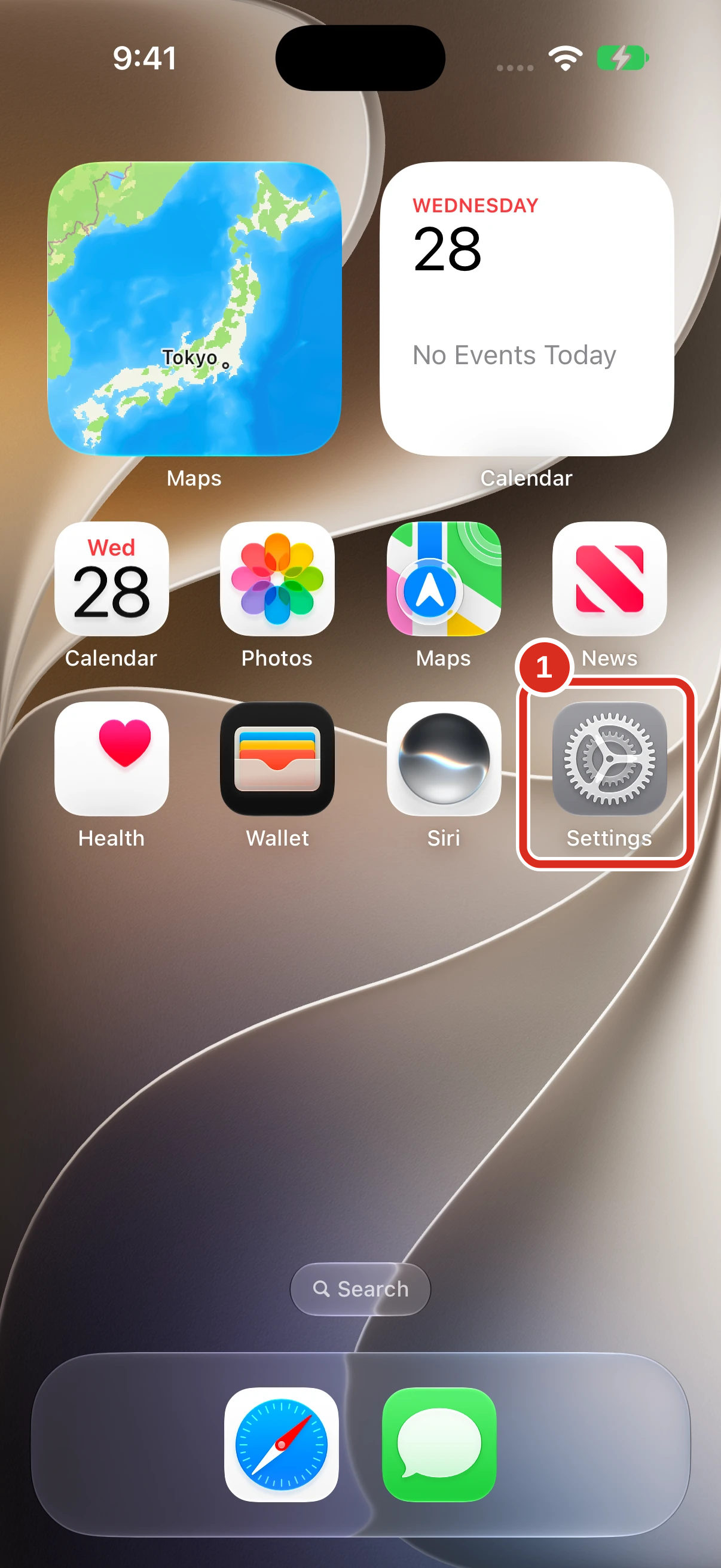
1. Open Settings
On your iPhone Home Screen, tap the Settings app with the gear icon.
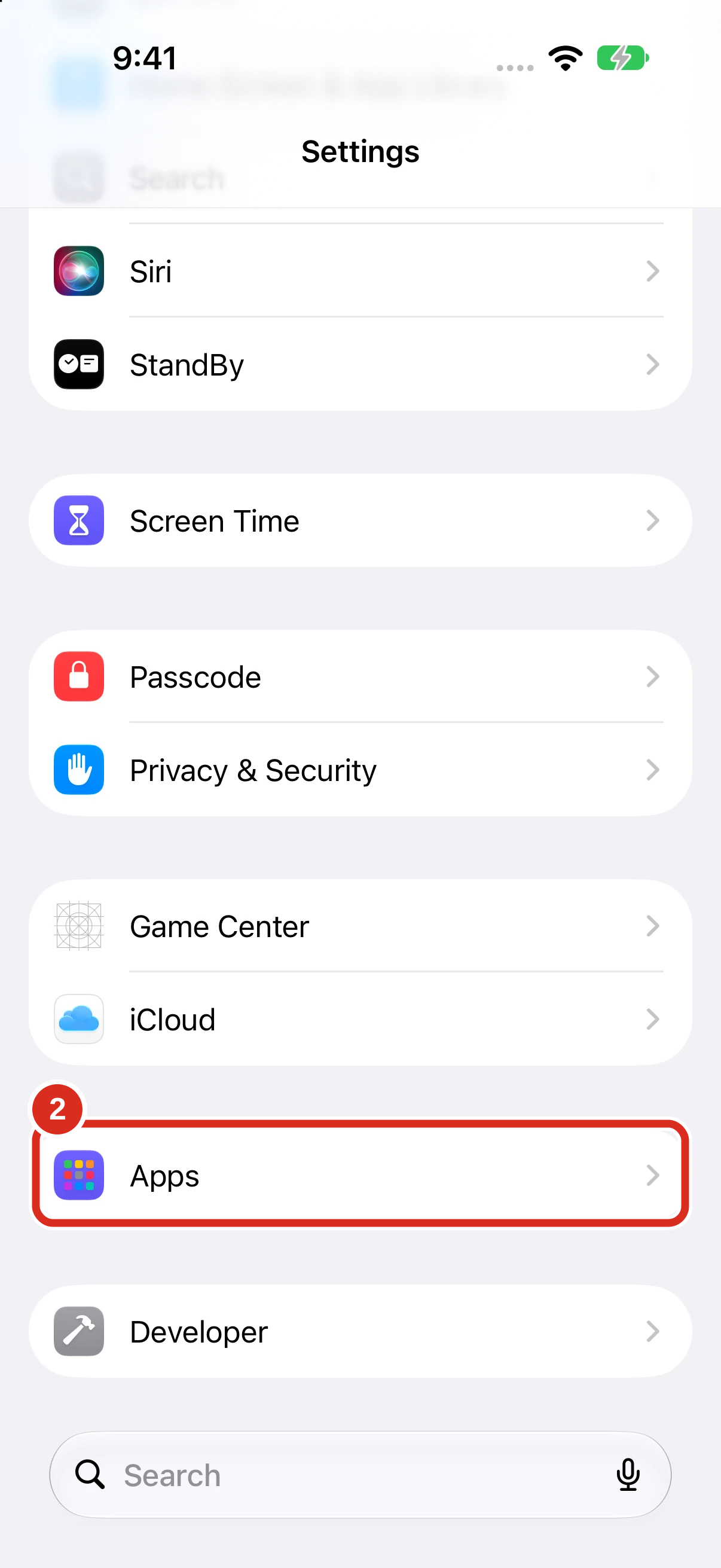
2. Open Apps
Scroll down in Settings and tap Apps.
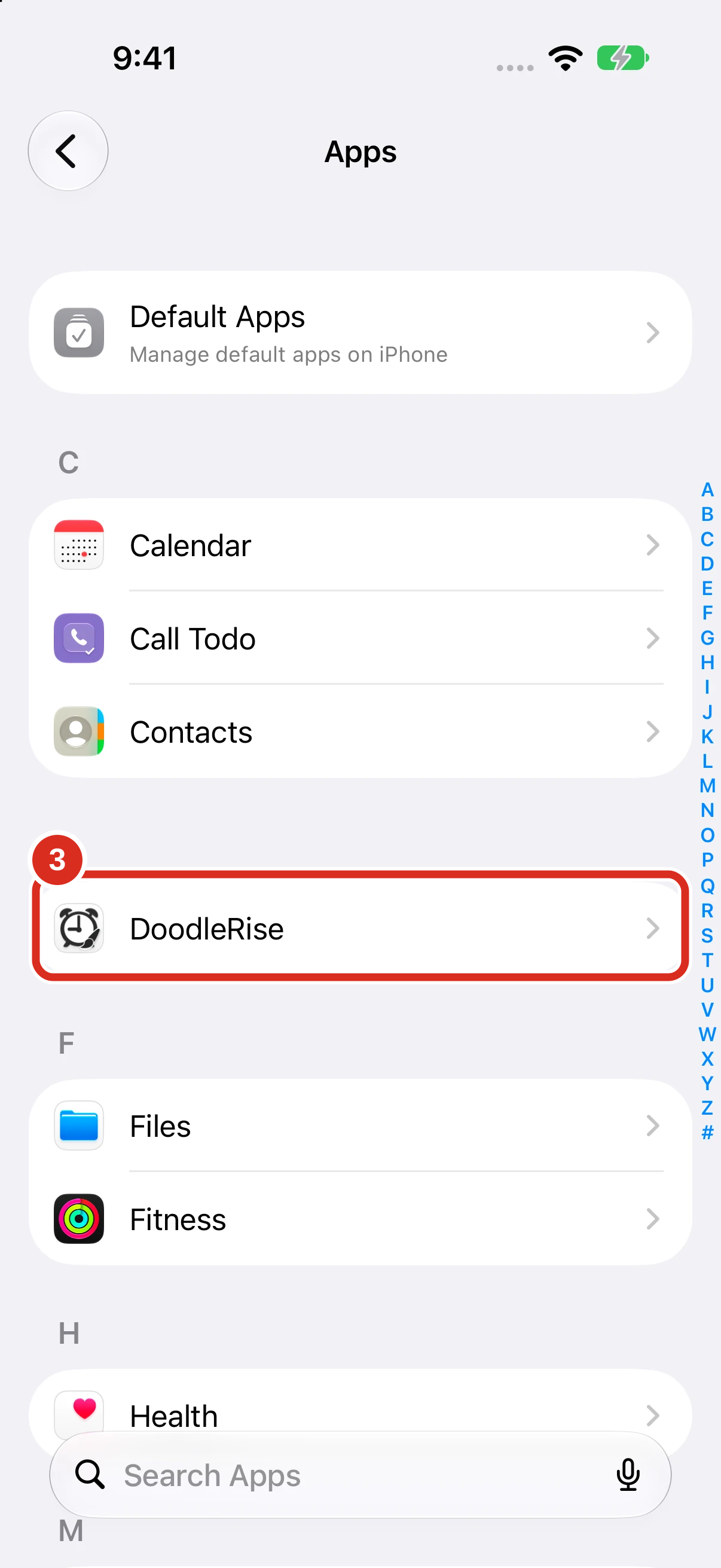
3. Select DoodleRise
Find DoodleRise in the app list and tap it.
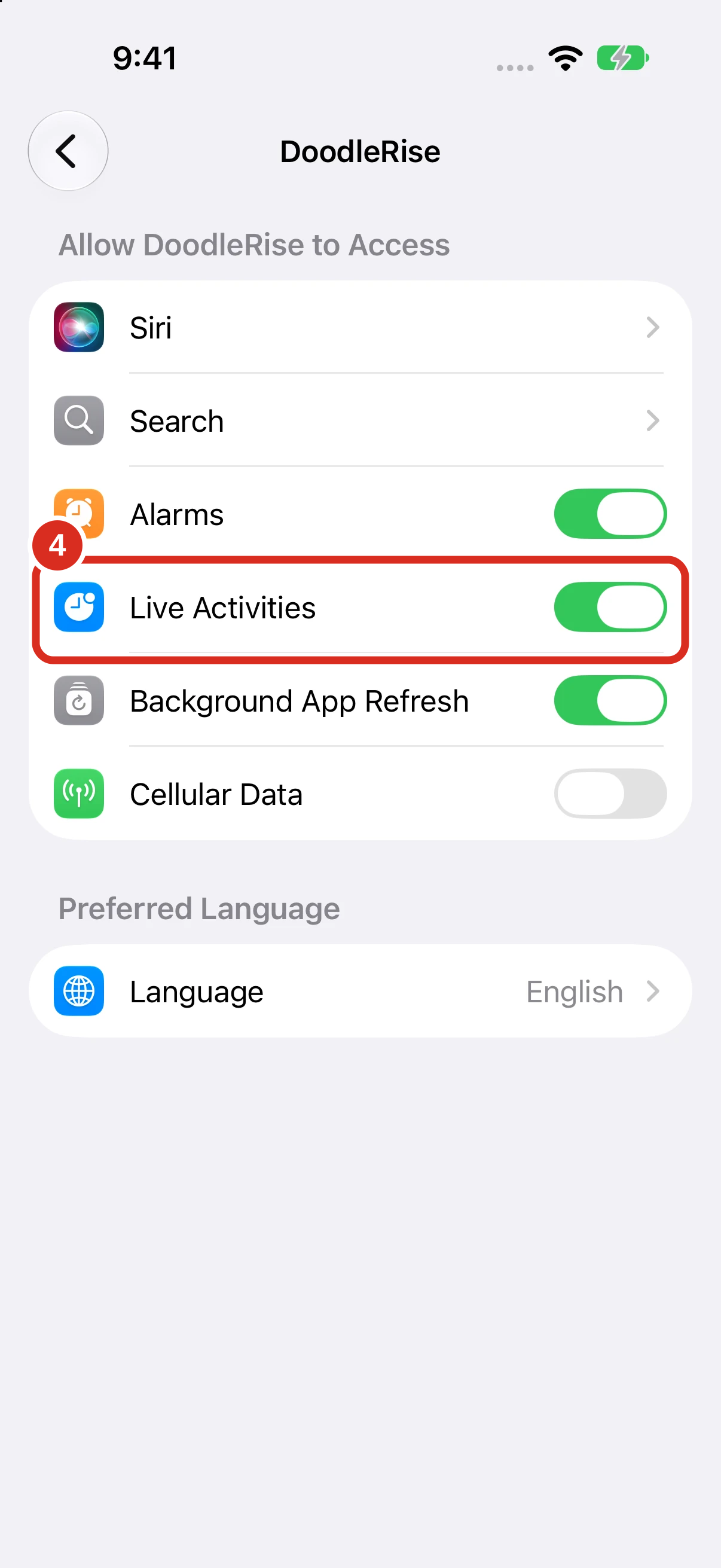
4. Turn on Live Activities
Turn on the Live Activities switch so it is green. If it is already on, leave it on.
Upcoming fix
We plan to resolve this issue in a future update. Until then, please keep Live Activities turned on as a temporary workaround.
After changing the setting, set an alarm in the app for a short time from now and check that it rings. If it still does not ring with Live Activities on, please contact us.